
Beyond the Basic Invert
Scanning black and white film at home should be the most rewarding part of the analog process. You’ve spent time choosing your film stock, metering your shots, and developing the roll. But all too often, the “positive” image you get after hitting ‘Invert’ in Photoshop looks heavy, muddy, or lacks the tonal soul you saw in the darkroom.
If you’ve been struggling with flat film scans, the problem isn’t your camera or your developer, it’s the way your software handles the inversion.
Why Traditional “Inverting” Falls Short
Most photo editing software treats a film scan like a standard digital photo. When you use a basic “Invert” command, the software simply flips the values: dark becomes light, and light becomes dark.
While this gives you a positive image, it doesn’t account for the unique density and bit-depth of film. This “dumb” inversion often results in:
- Blocked Shadows: Losing detail in the darkest areas of your print.
- Muddy Midtones: A lack of separation that makes the image feel “flat.”
- Awkward Highlights: Highlights that look grey rather than bright and luminous.
What is a Linear Scan?
A linear scan is a raw digital capture of a film negative that records data without applying a gamma curve or tonal corrections. By capturing the data exactly as the scanner sees it, a linear scan preserves the maximum dynamic range and bit-depth of the original negative.
While a linear scan looks dark and “flat” when first opened, it contains significantly more information than a standard scan. To turn this raw data into a photo, you need a tool designed to interpret that linear data correctly.
Introducing DBW Linear Scans
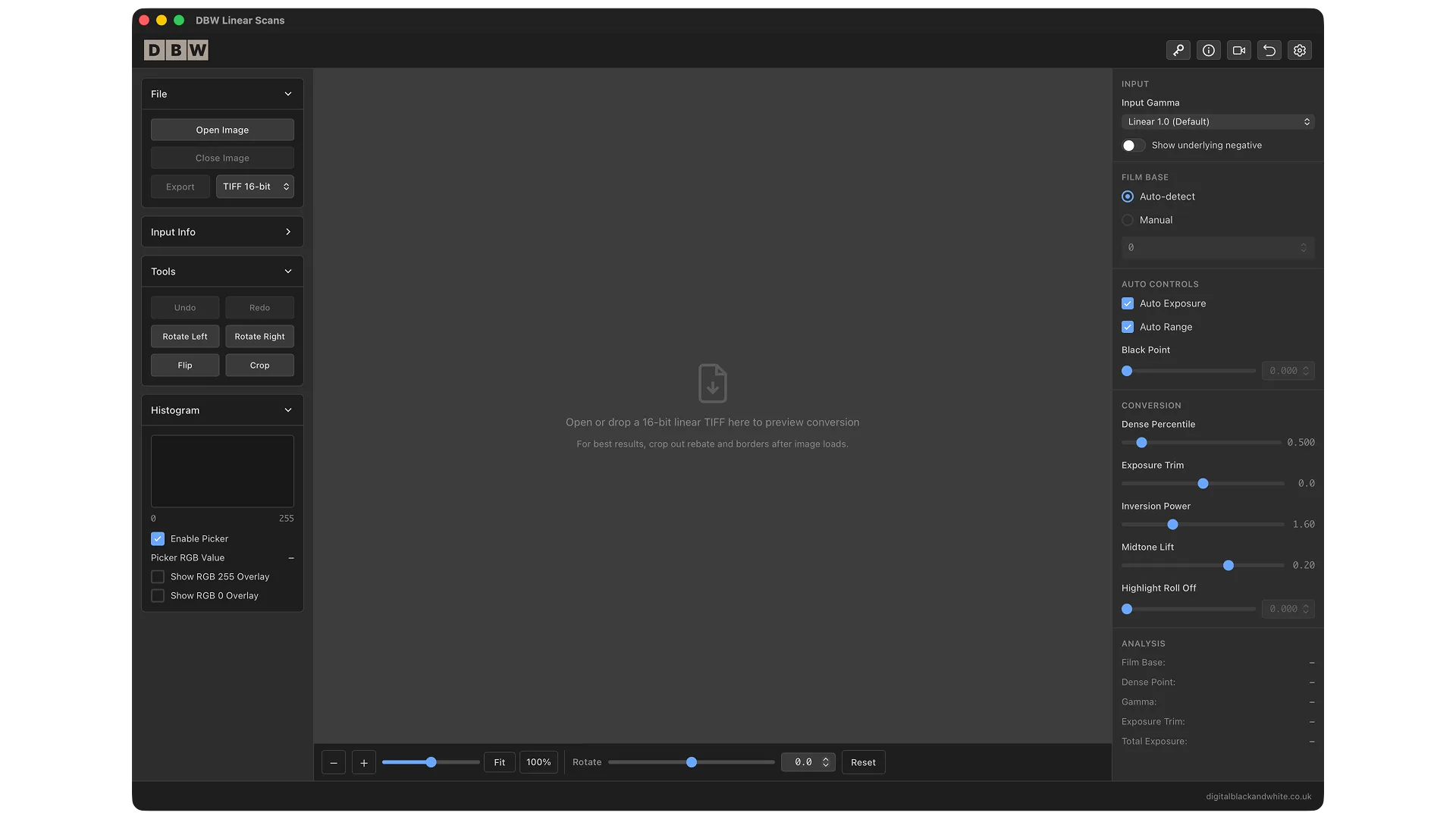
DBW Linear Scans was built specifically to bridge the gap between raw data and a finished print. Rather than a generic inversion, it provides a focused workflow designed for the nuances of black and white silver halide film.
Whether you are using a flatbed scanner with VueScan or Epson Scan, or you’ve moved to a high-speed DSLR scanning rig, this standalone app (available for Windows and Mac) acts as the professional engine for your digital darkroom.
Key Features for Better Film Scans:
- DSLR & Mirrorless Scan Support: Handles RAW files from almost every major manufacturer (.ARW, .CR3, .NEF, .DNG, and more).
- Noritsu .RAW Compatibility: Provides a direct, clean way to work with Noritsu scans without complex workarounds.
- Focused Tonal Controls: Instead of fighting with generic Curves, use sliders designed for film adjusting midtones, highlights, and manual black points with precision.
- Clipping Diagnostics: Ensure you aren’t losing detail in your shadows or blowing out your highlights before you export.
A Simple 3-Step Workflow
The beauty of DBW Linear Scans is that it simplifies a complex technical process into three easy steps:
- Create Your Linear Scan: Scan your negative with all “auto-corrections” turned off.
- Refine the Tones: Open the file in DBW Linear Scans. Use the histogram and focused controls to shape the tonal balance until the image “pops.”
- Export & Finish: Export your converted positive as a high-quality TIFF. Your original “digital negative” remains untouched.
Frequently Asked Questions
Do I need Photoshop to use this?
No. DBW Linear Scans is a standalone desktop application for Windows and Mac.
Does it work with color negatives?
This tool is purpose-built and optimized specifically for the unique requirements of black and white film.
Will it work with my DSLR?
Yes! As long as you are shooting in RAW, DBW Linear Scans can process the conversion, giving you more control than standard camera-raw processors.
About the Author
I am dedicated to the craft of monochrome photography. With many years of experience in digital post processing and printing, I developed DBW Linear Scans to solve the “flat scan” problem once and for all, giving film photographers the tools they need to honor their vision.