
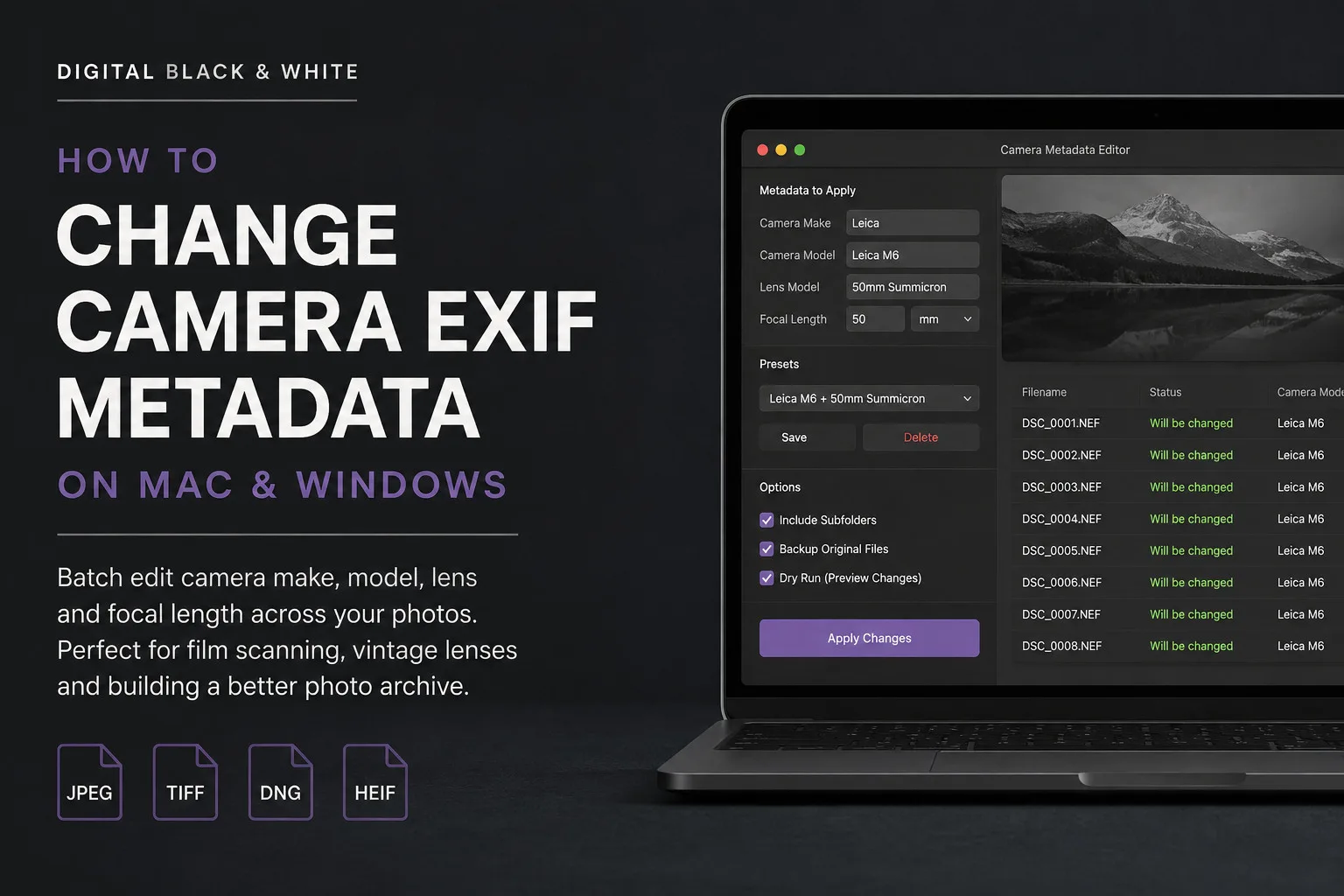
EXIF metadata is one of those things that is easy to ignore until the information stored inside your photographs is wrong or missing.
For digital photographers, much of this information is normally recorded automatically by the camera. Camera make, camera model, lens and focal length can all become part of the image metadata when the photograph is taken.
But there are plenty of situations where this information can be incorrect, incomplete or completely absent.
This is particularly common when scanning film negatives, using vintage manual lenses, working with adapted lenses or building a digital archive from photographs created using different cameras.
In this article I am going to look at what camera EXIF metadata is, why you might want to change it and how the Camera Metadata Editor from Digital Black and White can make updating the information across an entire folder of photographs much easier.
What Is EXIF Metadata?
EXIF stands for Exchangeable Image File Format.
It is metadata stored with an image that can contain information about how and when the photograph was created.
Depending on the camera and image format, this can include information such as:
- Camera manufacturer
- Camera model
- Lens model
- Focal length
- Exposure information
- ISO
- Date and time
Applications such as Adobe Lightroom Classic can read this information and use it when displaying, searching, filtering and organising photographs.
For photographers maintaining a large archive, accurate metadata can therefore be extremely useful.
Why Would You Change Camera EXIF Metadata?
There are several photographic workflows where the camera information contained within an image does not accurately describe how the original photograph was made.
One of the best examples is film scanning.
EXIF Metadata When Scanning Film
Suppose I photograph a roll of black and white film using a Leica M6 and a 50mm lens.
I develop the film and later digitise those negatives.
The resulting digital files have no automatic way of knowing that the original photographs were made with a Leica M6 and 50mm lens.
Depending on the digitising method, the metadata might describe the scanner or digital camera used to digitise the negative rather than the equipment that actually created the original photograph.
From an archival point of view, that is not necessarily the information I want.
I might prefer the files to contain:
Camera Make: Leica
Camera Model: Leica M6
Lens Model: 50mm Summicron
Focal Length: 50mm
That information now describes the photographic equipment associated with the original exposure.
For somebody with years or decades of scanned negatives, this can make the resulting digital archive considerably more useful.
Adding Metadata for Vintage and Manual Lenses
Missing EXIF information is not limited to film photography.
Vintage lenses and fully manual lenses are another common example.
Modern electronic lenses communicate with the camera body and normally provide information about the lens automatically.
A vintage manual focus lens connected using an adapter may provide little or no lens information at all.
You can therefore end up with hundreds of photographs where you know exactly which lens you used, but your photo library does not.
Adding the lens model and focal length afterwards provides a way of filling in that missing information.
This becomes particularly useful if you later want to find every photograph in your archive made using a particular vintage lens.
The Problem With Editing EXIF Information One Photograph at a Time
Changing metadata manually is manageable if you only have one or two photographs.
It becomes a very different job when you have hundreds of files from a film scanning session or photographic project.
That is why I developed Camera Metadata Editor.
Rather than changing files individually, Camera Metadata Editor is designed around batch processing.
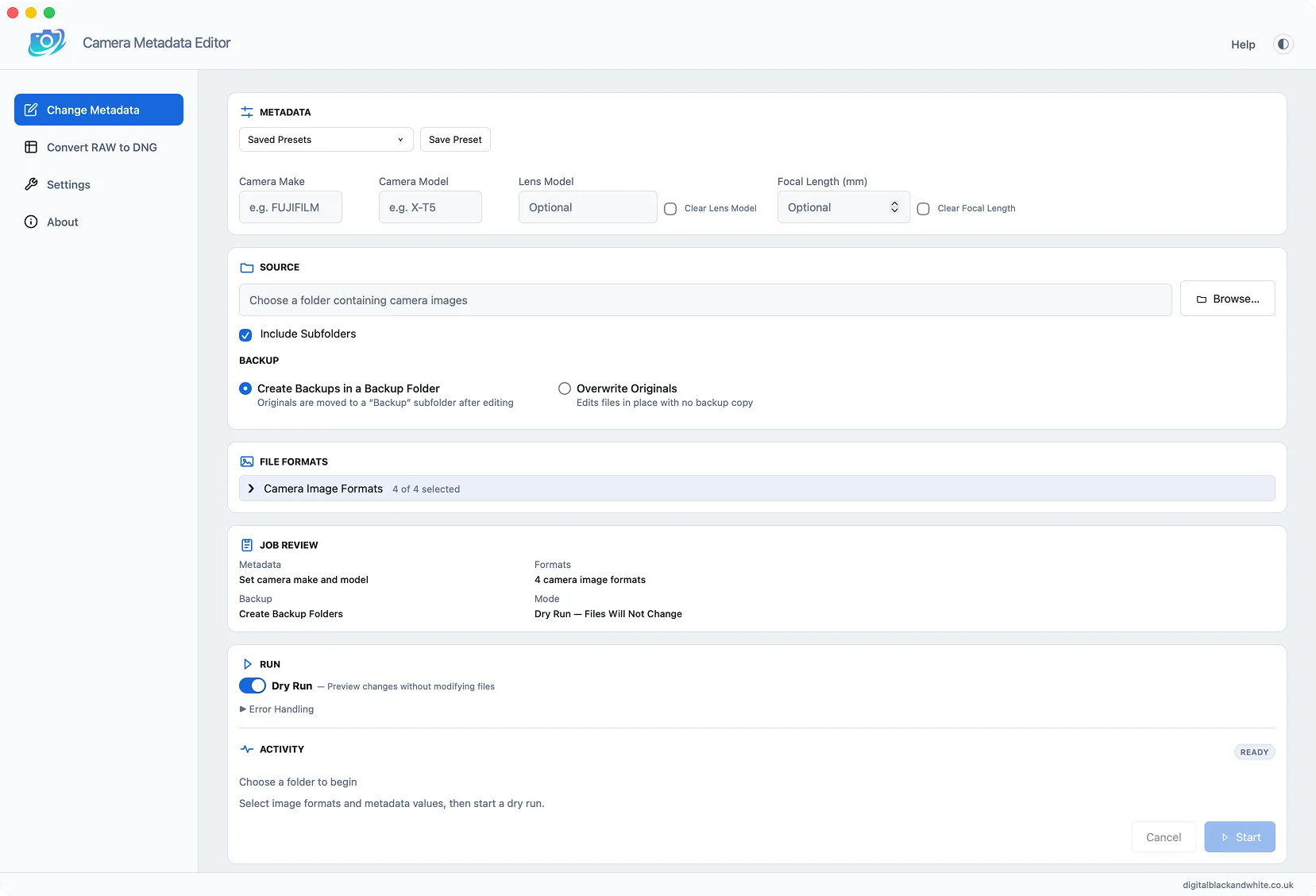
You select a folder containing your photographs, enter the camera and lens information you want to use and apply those changes across the appropriate files in one operation.
The application is available for both macOS and Windows.
What Camera Metadata Editor Can Change
Camera Metadata Editor allows you to update the important camera and lens information associated with your photographs.
You can change:
- Camera make
- Camera model
- Lens information
- Focal length
Lens and focal length information can also be edited or removed independently. This makes the application useful for both correcting existing information and adding metadata that was never recorded in the first place.
Batch Edit an Entire Folder of Photographs
The main advantage of Camera Metadata Editor is the ability to work with folders rather than editing photographs individually. You can point the application at a folder containing your images and select the formats that you want it to process.
Supported image formats include JPEG, TIFF, DNG and HEIF/HEIC, with additional support for converting most proprietary camera RAW files to DNG.
If your archive contains folders inside folders, you can also enable Include Subfolders.
This is particularly useful when dealing with a larger organised photographic archive.
Use Presets for Cameras and Lenses You Use Regularly
If you repeatedly use the same camera and lens combinations, entering the same information for every batch soon becomes unnecessary work.
Camera Metadata Editor therefore allows recurring metadata configurations to be saved as presets.
For example, you might create presets for:
Leica M6 + 50mm
Hasselblad 500C/M + 80mm
Nikon F3 + 35mm
The next time you digitise photographs made using that combination, you can load the appropriate preset rather than entering everything again.
For photographers digitising a large film archive, this can make the process considerably faster.
Preview EXIF Changes With Dry Run
Changing the metadata across hundreds of photographs is something you want to get right.
For this reason, Camera Metadata Editor includes a Dry Run mode.
Dry Run analyses the selected files and shows what the application intends to change without actually editing them.
You can check the results first and only apply the changes when you are happy with the settings.
It is a simple feature, but an important one when working with valuable photographic archives.
Keep Recoverable Backups of Your Original Files
Camera Metadata Editor also includes a backup option.
When enabled, recoverable copies of your original files can be retained before the metadata changes are applied.
My preferred workflow is therefore straightforward:
- Select the photographs.
- Enter or load the required camera metadata.
- Run a Dry Run.
- Check the proposed changes.
- Enable Backup mode.
- Apply the metadata changes.
This gives you the opportunity to check what is going to happen before committing the changes.
Changing EXIF Metadata in RAW Files
RAW files need slightly different treatment.
Proprietary camera RAW formats are not always suitable for directly changing their embedded EXIF information. Camera Metadata Editor addresses this by integrating RAW to DNG conversion into the workflow. Proprietary RAW files from most cameras can be converted into editable DNG copies using Adobe DNG Converter from within Camera Metadata Editor.
Your original RAW files are not deleted or overwritten.
Once converted, the DNG files can use the same metadata batch editing tools as the other supported image formats.
There is also an option for embedded original data within the DNG workflow.
This gives photographers working with RAW files a practical way of creating editable archival copies without altering their original camera RAW files.
Everything Is Processed Locally
Another important consideration when working with a photographic archive is where your images are being processed. Camera Metadata Editor operates locally on your Mac or Windows computer. You do not have to upload an archive of photographs to an online metadata editing service simply to change the camera or lens information.
For large TIFF files, scanned negatives and personal photographic archives, keeping the workflow on the local computer makes a great deal of sense.
Why Accurate Camera Metadata Matters
It is tempting to think of EXIF metadata as information that does not really matter.
For an individual photograph, perhaps it doesn’t.
Across a photographic archive containing thousands or tens of thousands of images, it becomes much more useful.
Imagine being able to open your Lightroom catalogue years from now and quickly identify photographs originally made with a particular camera.
Or finding all the photographs made using a favourite vintage lens.
For film photographers, it also creates a useful connection between the physical negative and the digital archive.
The scanner or digital camera used to digitise the negative is part of the scanning process.
The camera and lens used for the original exposure tell you something about the photograph itself.
That is the information I personally find more useful when organising my scanned film photographs.
A Useful Tool for Film Photographers and Digital Archives
Camera Metadata Editor was created to solve a practical problem.
I wanted an easier way to correct and add camera information without manually editing photographs one at a time.
That makes it particularly useful for:
- Film photographers digitising negatives and slides
- Photographers using vintage lenses
- Photographers using manual focus lenses and adapters
- Anyone correcting missing or incorrect camera information
- Photographers organising large Lightroom catalogues
- Archivists digitising photographic collections
- Anyone who needs to update camera metadata across many images
Rather than being a general purpose editor for every possible metadata field, Camera Metadata Editor concentrates on the camera and lens information photographers frequently need to correct.
Camera Metadata Editor for Mac and Windows
Camera Metadata Editor is available for both macOS and Windows and is sold as a one time purchase rather than a subscription.
It provides batch editing, Dry Run previews, recoverable backups, presets, subfolder processing and RAW to DNG conversion within a straightforward desktop application.
If you have scanned film photographs, images created with manual lenses or an archive containing incorrect camera information, it provides a much quicker way to put that information back where it belongs.
Find out more about Camera Metadata Editor