
Tired of Using Photoshop to Convert Black & White Negatives?
If you scan black and white film, you’ve probably experienced this at some point.
You carefully expose the film, develop it, scan the negatives, and then sit down at your computer ready to enjoy the results.
That’s when the real work begins.
Inverting negatives, adjusting curves, setting black and white points, correcting contrast, and trying to achieve a natural-looking positive image can quickly become a time-consuming process.
For many photographers, converting the negative takes longer than scanning it.
The Problem with Traditional Workflows
Most digital workflows for black and white negatives rely on general-purpose photo editing software.
Photographers often use Photoshop, Lightroom, GIMP, or a combination of plugins and actions to convert their negatives into positive images.
While these tools are incredibly powerful, they were not designed specifically for black and white negative conversion.
As a result, many photographers find themselves repeating the same steps over and over again:
- Invert the image
- Adjust curves
- Set black and white points
- Fine-tune contrast
- Correct tonal balance
- Export the final image
This works, but it can be slow and frustrating, especially when processing an entire roll of film.
A Simpler Alternative
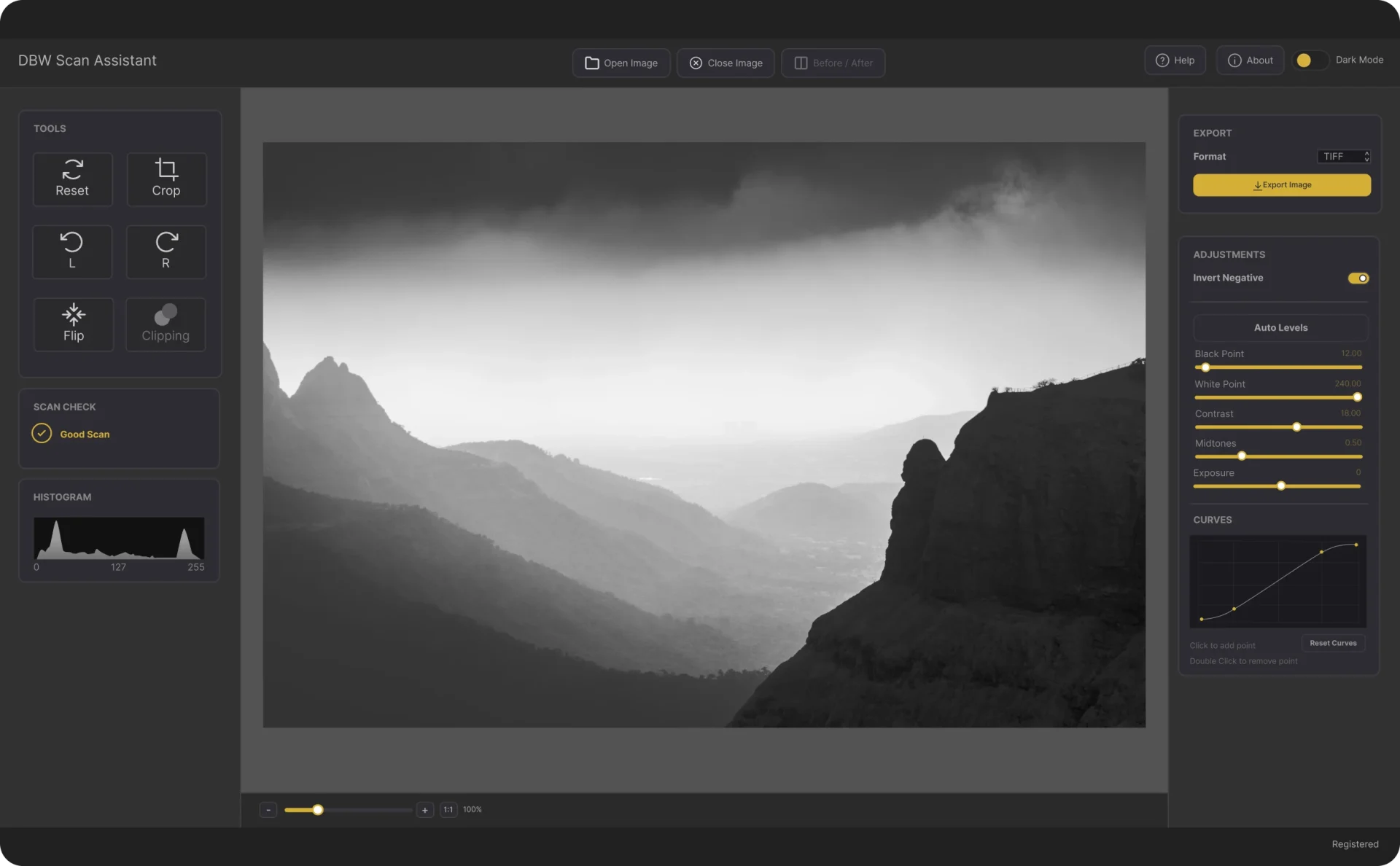
DBW Scan Assistant was created specifically for photographers who scan black and white film negatives.
Rather than being another photo editor, it focuses on a single job: converting black and white negatives into positive images quickly and easily.
It is a standalone desktop application available for both Windows and Mac.
There is no need for Photoshop.
There are no subscriptions.
There are no complicated editing workflows to learn.
Simply load your scanned negative, make your adjustments, and export the result.
Designed for Black & White Film Photographers
DBW Scan Assistant includes tools specifically designed for black and white negative conversion, including:
Fast Negative-to-Positive Conversion
Convert your scanned negatives into positive images with just a few clicks.
Non-Destructive Workflow
Your original scans are never modified. You can experiment with adjustments knowing your source files remain untouched.
Batch Processing
Working with an entire roll of film?
Load a complete folder of negatives and apply settings across multiple images.
Film Roll View
Browse your negatives using a convenient thumbnail strip and quickly move between frames.
Windows and Mac Support
Whether you work on Windows or macOS, DBW Scan Assistant fits easily into your existing workflow.
Why I Created DBW Scan Assistant
As someone who enjoys working with black and white film, I found myself spending too much time performing the same repetitive editing steps.
I wanted a tool that focused purely on black and white negative conversion without requiring expensive software or complex workflows.
DBW Scan Assistant was built to solve that problem.
The goal wasn’t to replace Photoshop.
The goal was to get photographers from negative to positive more quickly so they can spend less time editing and more time enjoying their photography.
Try It for Yourself
A fully functional trial version of DBW Scan Assistant is available for download.
You can install it on Windows or Mac and try it using your own scanned negatives.
Download the free trial today and see how much easier black and white negative conversion can be.
Frequently Asked Questions
Do I need Photoshop?
No. DBW Scan Assistant is a standalone desktop application and does not require Photoshop, Lightroom, or any other photo editing software.
Is it available for Mac and Windows?
Yes. Versions are available for both Windows and macOS.
Does it modify my original scans?
No. The software is completely non-destructive and leaves your original files untouched.
Is there a free trial?
Yes. A fully functional trial version is available so you can test the software using your own negatives before purchasing.
Download Free Trial
https://www.digitalblackandwhite.co.uk/downloads/dbw-scan-assistant/