DBW Linear Scans
Buy DBW Linear Scans
Download Latest Version of DBW Linear Scans
Note: Apple Mac Requires macOS 11 (Big Sur) or later.
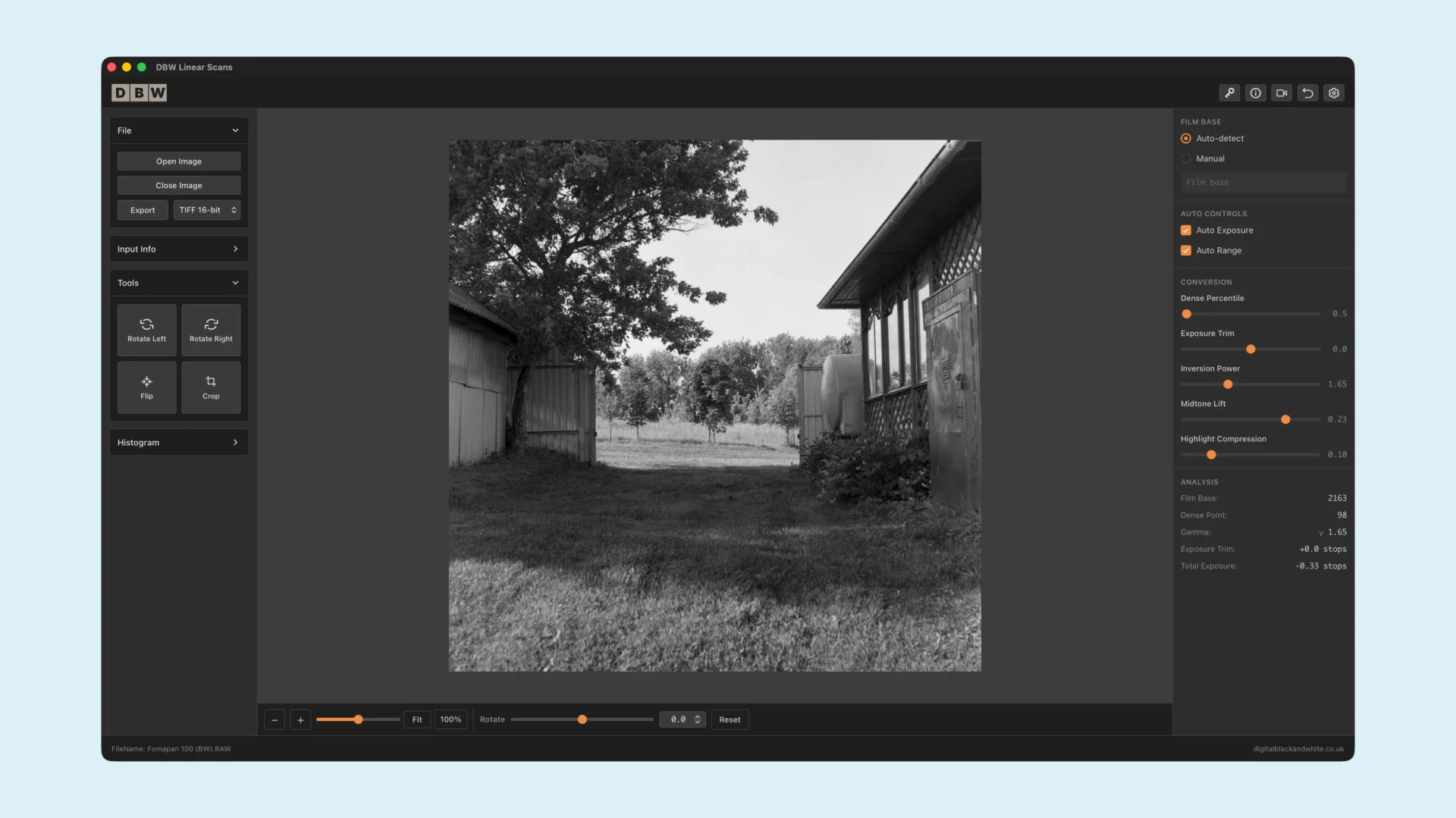
A standalone desktop app for Windows and Mac, designed specifically to convert black and white film negatives from linear scans.
No Photoshop required. No complex inversion workflow. Just a cleaner, more direct way to turn properly prepared linear scans into positive black and white images.
Free Trial Available
The free trial is a working copy, with watermarked exports.
Built Specifically For Linear Scans
DBW Linear Scans is a dedicated desktop application for converting black and white film negatives from linear scans.
It has been built for photographers who want a cleaner, more controlled starting point than a basic straight invert. Instead of treating a negative as if it were a normal image, DBW Linear Scans is designed around the way light passes through film and how tonal values are captured during the scanning process.
This matters because a true linear scan preserves the light values from the negative before heavy automatic corrections, contrast curves or gamma adjustments are applied. When the scan is kept as close to linear as possible, DBW Linear Scans can work from a more accurate starting point and produce a more natural conversion.
The software is standalone, so you do not need Photoshop, Lightroom or additional editing software to make the conversion. Simply open your linear scan, convert the negative, refine the result and export your image.
DBW Linear Scans also supports Noritsu .RAW files, giving you a cleaner, more direct starting point without relying on additional software just to make the files readable.
Who Is It For
DBW Linear Scans is for film photographers, archivists and anyone digitising black and white negatives who wants more control over the conversion process. It is especially useful if you are scanning your negatives as RAW linear files and want software that understands that workflow from the start.
More Than A Simple Invert
A straight invert does not always give the best result from a black and white negative. Film negatives contain tonal information in a way that needs to be interpreted carefully. DBW Linear Scans is designed to work with linear scan data, helping you move from negative to positive with a conversion process that respects the captured light values rather than simply flipping the image.
Key Features
- Designed specifically for black and white film negative conversion
- Built for linear scans
- Standalone desktop software
- Windows and Mac versions available
- No Photoshop required
- Supports Noritsu .RAW files
- Cleaner starting point than a basic straight invert
- Simple workflow from scan to conversion to export
- Free trial available
Free Trial
You can download and try DBW Linear Scans before purchasing. The trial version is a working copy of the software. You can open your scans, test the conversion workflow and export your results. Trial exports include a watermark.
Download Latest Version of DBW Linear Scans
Note: Apple Mac Requires macOS 11 (Big Sur) or later.
Important note about linear scans
For best results, use a linear scan with little to no additional adjustment applied by the scanning software. Avoid automatic contrast, sharpening, exposure correction, tone curves or gamma changes where possible. The cleaner and more linear the starting scan, the better the conversion workflow can perform.
How To Make Linear Scans With Epson Scan or VueScan
Making linear scans with Epson Scan and VueScan is fairly straight forward, for more information, checkout the How to make Linear Scans
Version History