DBW Camera Scan LightCheck
Buy DBW Camera Scan LightCheck
Know how even your light is before you scan your film.
DBW Camera Scan LightCheck is a simple, dedicated desktop application designed for photographers who digitise black and white film using a digital camera.
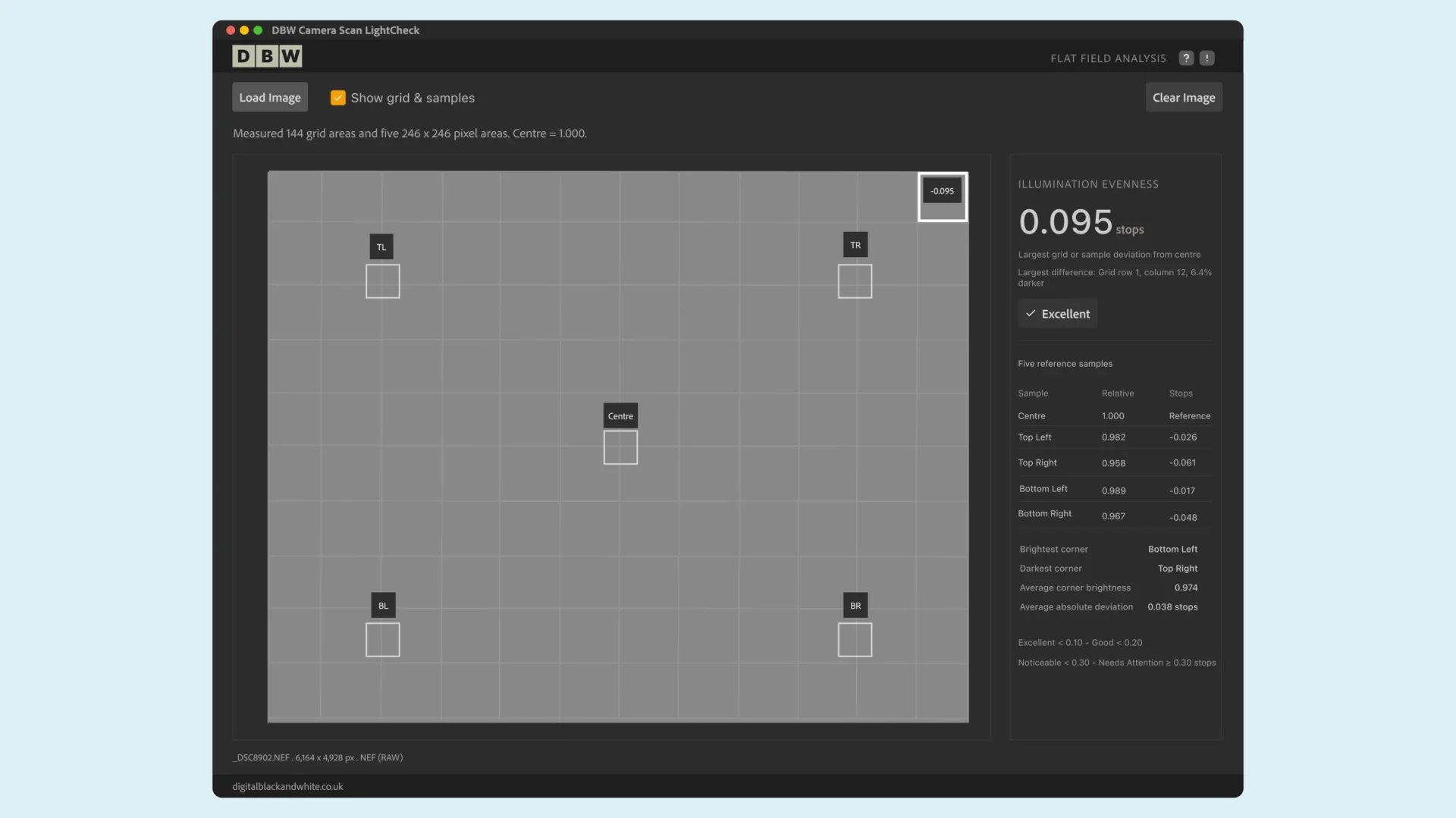
By analysing an original camera RAW file, LightCheck measures brightness variation across your camera scanning setup, helping you identify uneven illumination that could affect your finished scans.
Key Features
- Load supported camera RAW files without additional conversion software.
- A 12 × 12 grid checks illumination across the entire captured image.
- See how brightness varies across five reference areas.
- Understand exactly how much brightness differs from the centre.
- Quickly identify areas of uneven illumination.
- Identify potentially unreliable measurements where supported by the RAW format.
Simple to Use
Capture your illuminated scanning surface without the film or holder, load the original RAW file into the DDBW Camer Scan LightCheck app and review the results. No complicated calculations, no external RAW editor and no unnecessary adjustments.
Compatibility
Available for macOS (Intel and Apple Silicon) and Windows (64-bit).
Supports a range of camera RAW formats, including compatible DNG, NEF, CR2, CR3, ARW, RAF, RW2 and ORF files. RAW compatibility depends on camera model and compression format.
DBW Camera Scan LightCheck is a measurement tool. It does not modify images or correct uneven illumination.
Want to Learn More About LightCheck?
Discover how DBW Camera Scan LightCheck works, watch a video demonstration and see how it can help you identify uneven illumination in your camera scanning setup.