
Camera Metadata Editor
Batch Edit Camera
Metadata in Seconds
Update the camera make, camera model, lens model and focal length with a few clicks.

What Camera Metadata Editor Does
Camera Metadata Editor lets you batch update camera make, model, lens and focal length metadata across your photo collection. Preview every change first using the fry run option, keep recoverable backups, and process everything locally on Mac or Windows.
Perfect for Photographers, Archivists and Content Creators
Film Scanning
When digitising film negatives or slides, scanners often leave generic or incomplete camera metadata. Update the files with the camera and lens originally used, making your archive far more meaningful years later.
Vintage and Manual Focus Lenses
Many manual lenses don't record lens information. Add the correct lens name and focal length across many images in one operation. Ideal for when organising the photographic digital archive.
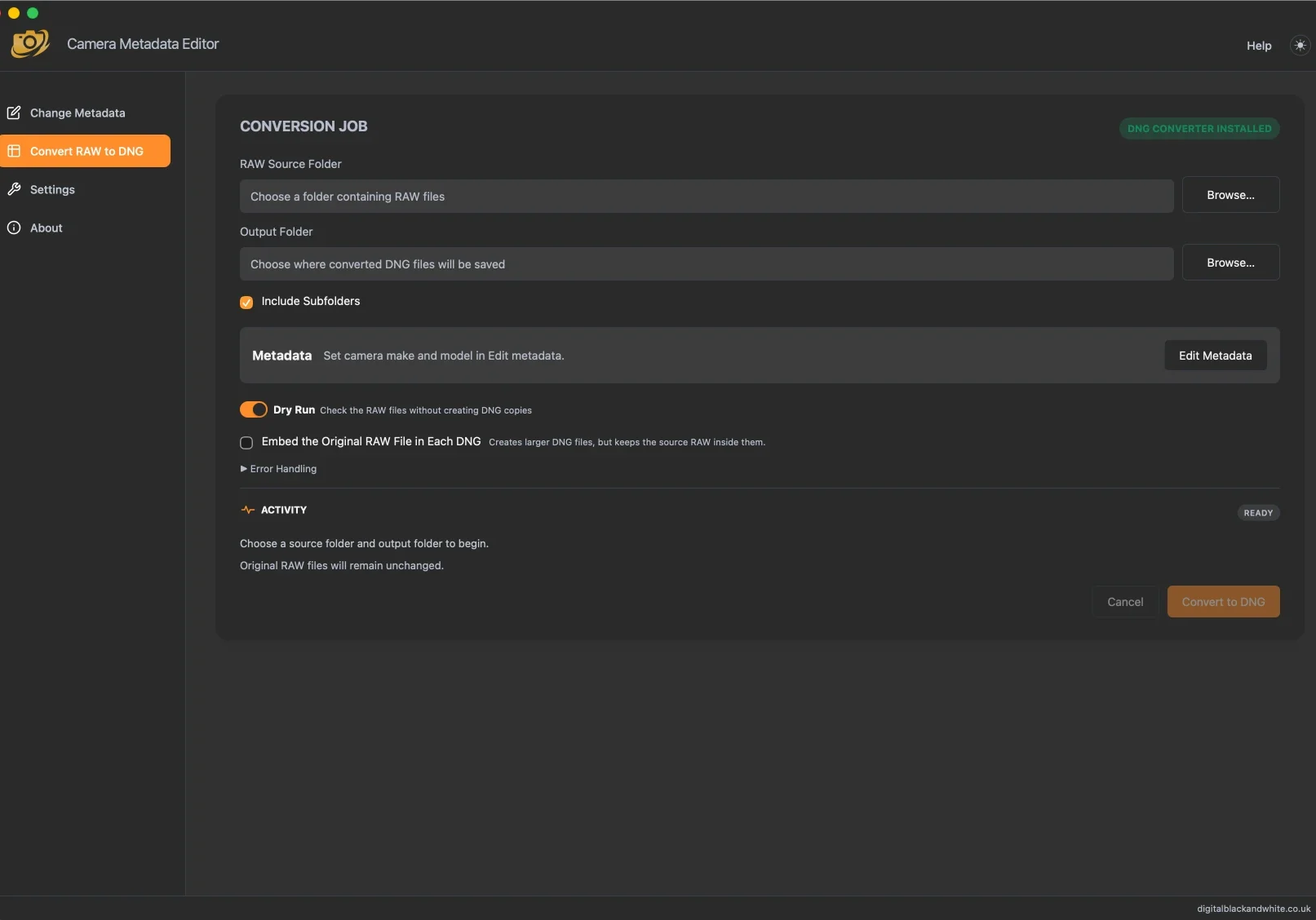
Convert RAW files to DNG without losing the originals
Proprietary RAW files from most cameras can be converted into editable DNG copies using Adobe DNG Converter, run directly from within Camera Metadata Editor.
Change Camera
Metadata In Batches
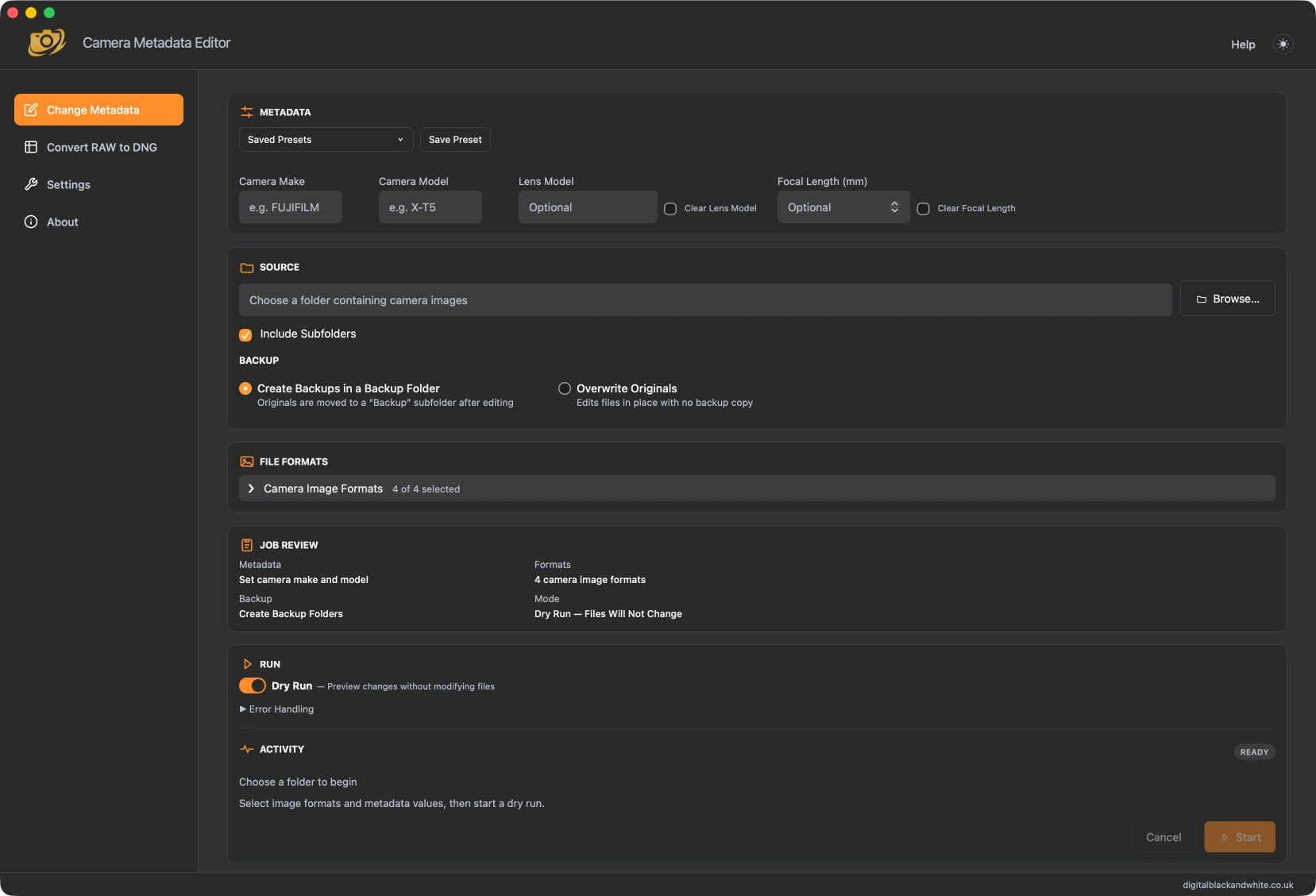
Update the camera make, model, lens and focal length across an entire folder of images.
Review your settings, preview changes with a Dry Run, and keep original files safely backed up before applying the edit.
Choose the formats you want to process, include subfolders when needed, and reuse saved presets for repeat jobs
Everything runs locally on your computer, with clear progress and an activity log for every batch.

Light And Dark Theme Modes Available
Camera MetaData Editor
Batch edit camera and lens metadata across many photos with Camera Metadata Editor
- Mac and Windows
- Batch Edit Folder of Images
- Backup Originals
- Test With Dry Run
- Convert From Raw To DNG
Frequently Asked Questions
